Sisu instructions: Search
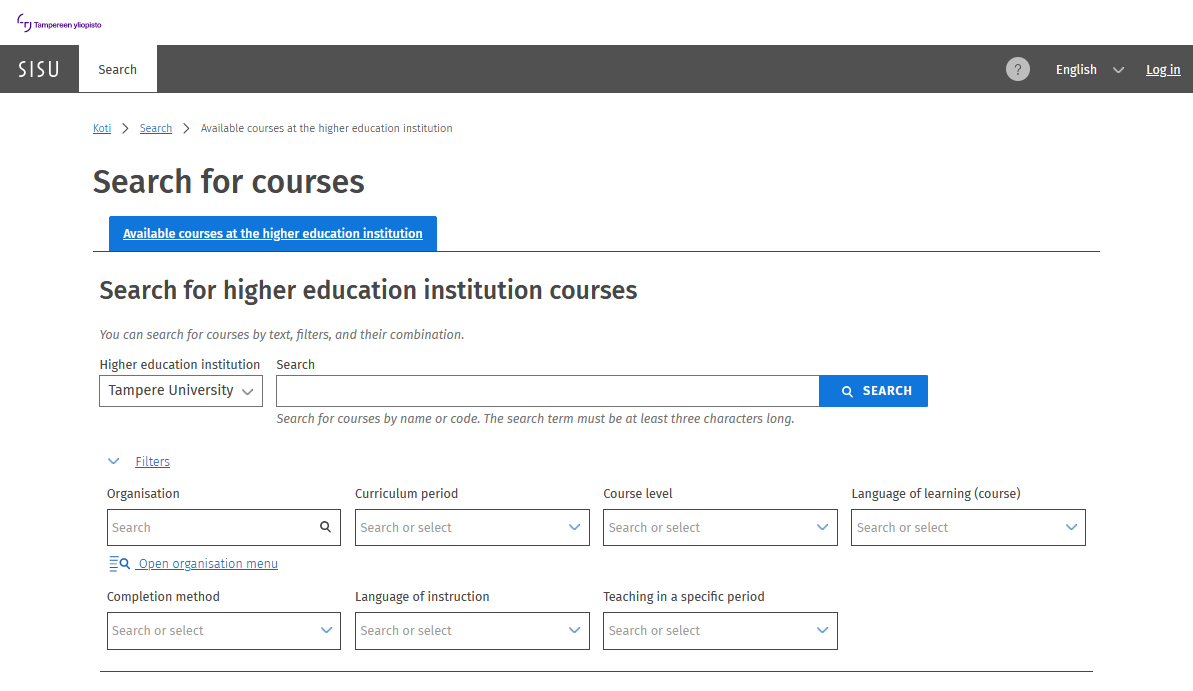
With the functions on Sisu’s search page, you can search for courses described in the curriculum.
If you are logged into Sisu, you can add a course to your course cart and place it in your study plan. Please note that to register for teaching, you need to include the course and select the completion method in your study plan.
Search functions and results
- The search results display courses and their basic information in a list.
- You can sort the search results by relevance, name, and number of credits.
- You can filter the search results using criteria such as organisation, curriculum period, course level, language of learning, completion method, language of instruction, and teaching period.
- You can access course details by clicking the course name, and view more detailed teaching information through the course brochure that opens.
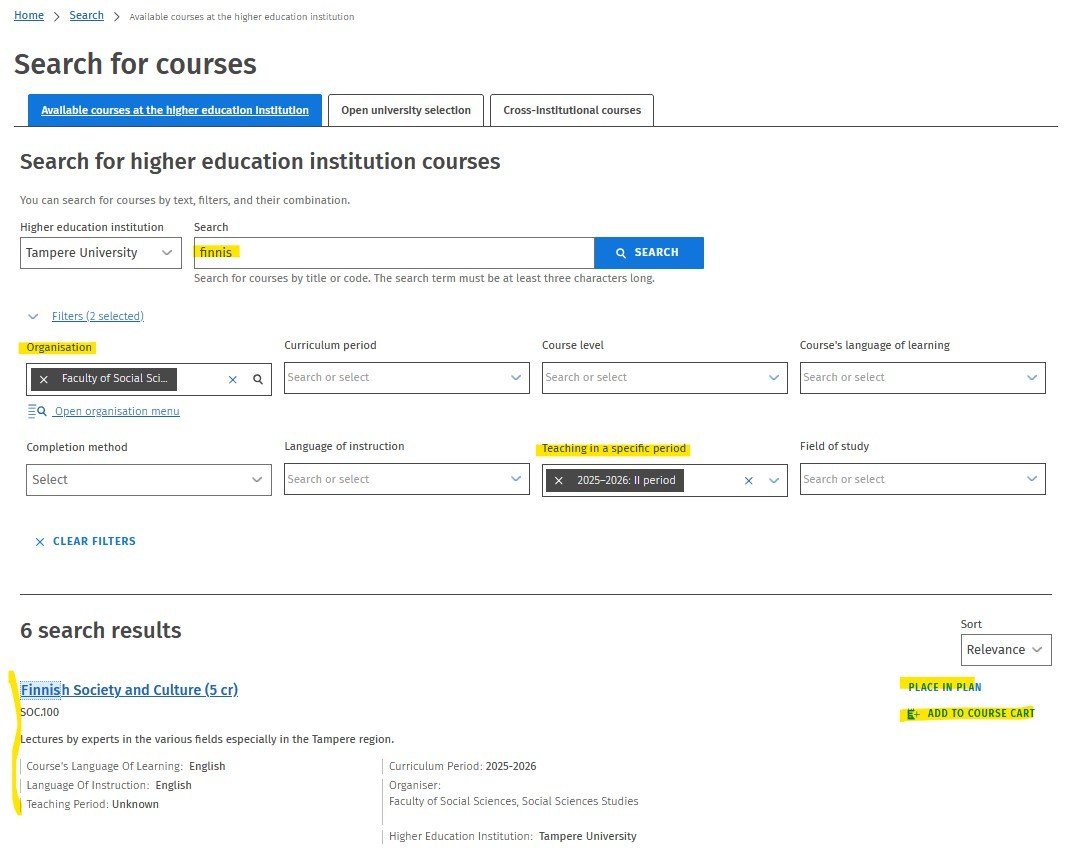
- With the Place in plan function, you can include the course in your study plan.
- With the Add to course cart function, you can add courses to your checklist, which you can find in the top bar of Sisu.
If you want to search for, for example, course offerings in Sisu during the period II offered by Faculty of Social Sciences, type the search term in the search field, select the Period II as the filter and choose ‘Faculty of Social Sciences’ as the organisation.
Published: 13.8.2019
Updated: 31.3.2026